Individual Targeting
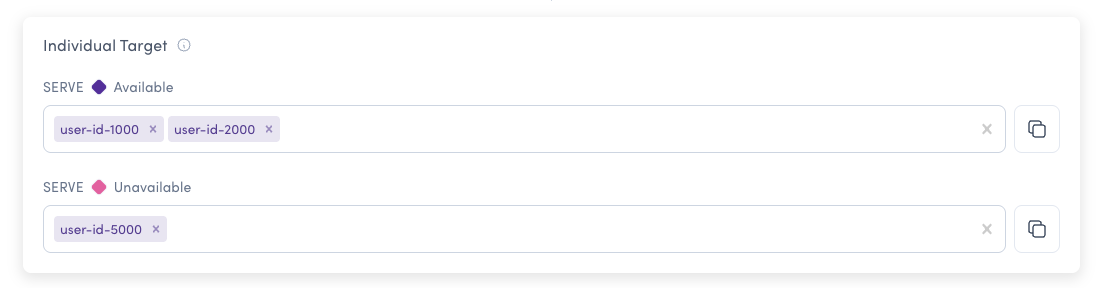
Individual Targeting allows you to define which specific users will receive each feature flag variation. You provide the User IDs for the users who will receive the selected variation, and these users will get the assigned variation regardless of any other rules or rollout conditions.
How Individual Targeting Works
For a boolean flag example, you could provide specific user IDs (e.g., user-123, user-456, qa-tester-1) to receive the True variation, and a different set of user IDs to receive the False variation. These individually targeted users will receive their assigned variation regardless of any other rules or rollout conditions.
Common Use Cases
- Internal testing - Target your team members for early access
- VIP customers - Provide exclusive features to specific premium users
- Beta testers - Enable features for selected test users
- Debugging - Test variations with specific problematic user accounts
- Demo accounts - Control exact feature visibility for demonstration purposes
Best Practices
For platform-based targeting (e.g., targeting all Android vs iOS users), use Custom Rules with user attributes instead of Individual Targeting. Individual Targeting is specifically designed for targeting by unique user IDs.
- Use Individual Targeting for small numbers of specific users
- Use Custom Rules with user segments for larger groups of users
- Use Custom Rules with attributes for platform or property-based targeting
Individually targeted users must be updated manually. For frequently changing user groups, consider using User Segments or Custom Rules with attributes instead.