Variations
The Variations tab allows you to manage variations for your feature flag with ease. You can add, edit, or remove variations based on your requirements.
To access the variations page on the Bucketeer dashboard, access the Feature Flags tab, choose the desired flag, and click on its name. On the new page, select the Variation tab on the top. The image below presents an example of the Variations page for a boolean flag.
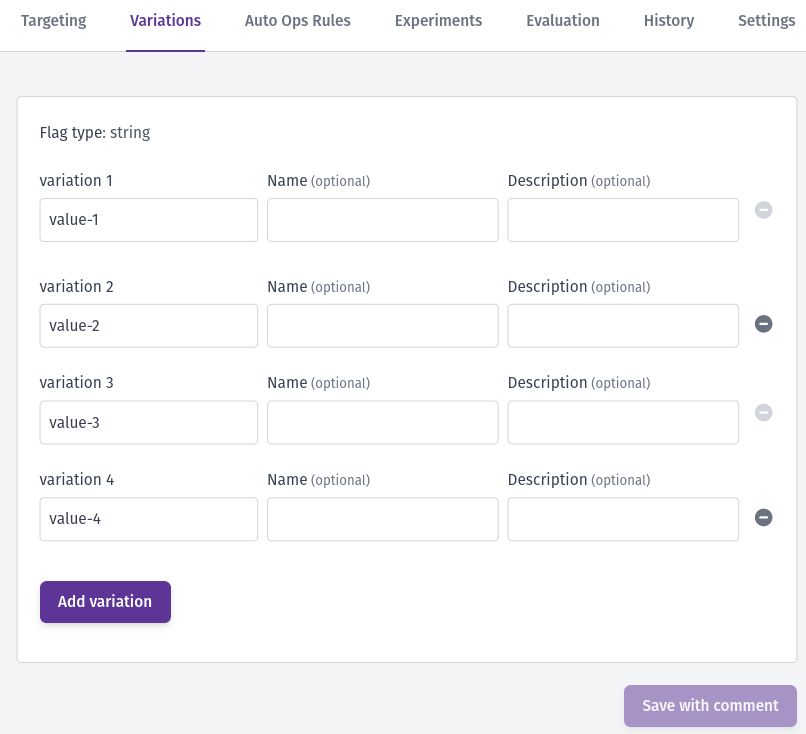
For boolean flags, you can modify the name and description of each variation. When dealing with multivariate flags (string, number, JSON, and YAML types), you can add or delete variations as needed in addition to editing the value, name, and description of variations. After finishing the flag variations edition, save it and provide a comment describing your changes.
For string, number, and JSON flags, you can also define a value schema to validate variation values before they're saved.
You can't delete a variation if:
- It was selected as the Default Rule or as the OFF variation on the Targeting tab
- It has users assigned in Individual Targeting
- It's assigned to any Custom Rules (either as a fixed variation or with a rollout percentage greater than 0%)
- It's used as a prerequisite or in a rule condition of another feature flag
- You have an active progressive rollout with the current flag
- Only 2 variations remain (flags must have at least 2 variations)
Note: If a variation has a rollout percentage of 0% in a custom rule or default rule, it can be deleted since it's not actively serving users.
You can edit the values, names, and descriptions of existing variations even during an active progressive rollout.
Deleting Variations
When you successfully delete a variation:
- Its individual targeting entry will be removed automatically
- It will be removed from custom rules where it has 0% rollout weight
- The flag's configuration remains valid and functional
Value Schema
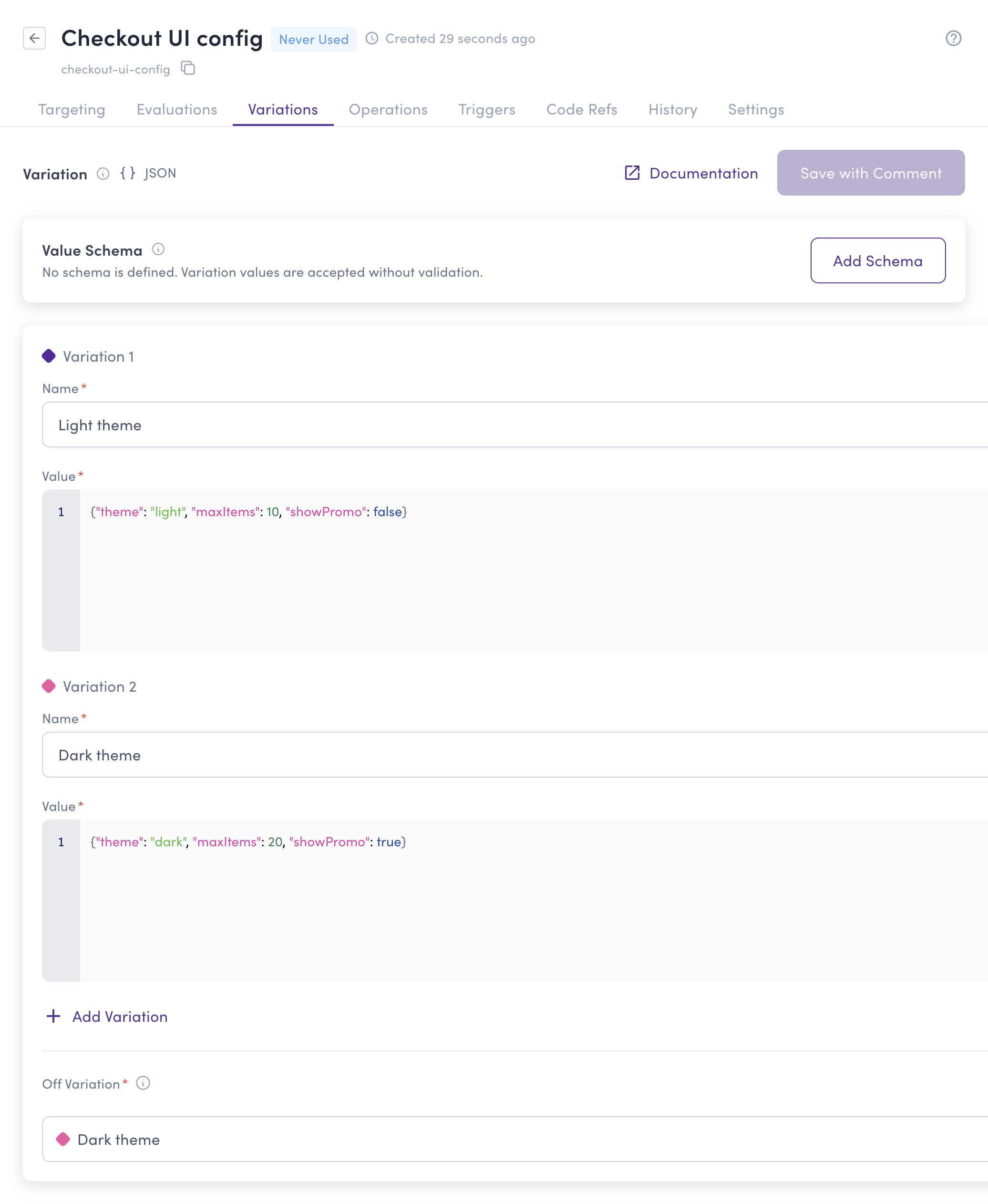
By default, Bucketeer only checks that a variation value matches the flag type. A value schema adds stricter, flag-specific validation on top of that. Once a schema is defined, every variation value is validated against it, and values that violate the schema can't be saved. This prevents mistakes such as a typo in an allowed option or a JSON payload missing a required field—from reaching your users.
The Value Schema card appears at the top of the Variations tab. Boolean and YAML flags don't support value schemas, so the card isn't displayed for those flag types.
Schema types
The available schema types depend on the flag type:
| Schema type | String | Number | JSON | Description |
|---|---|---|---|---|
| Enum | ✓ | ✓ | – | The value must be one of a list of allowed values. |
| Regex | ✓ | – | – | The value must match a regular expression. |
| JSON Schema | – | – | ✓ | The value must conform to a JSON Schema (draft 2020-12). |
Additional notes per schema type:
- Enum: For number flags, values are compared numerically, so
1.0and1are considered the same value. When an enum schema is active, the variation value field becomes a dropdown listing the allowed values. - Regex: Patterns use RE2 syntax, the same syntax used by Go's
regexppackage. Perl-style constructs such as lookaheads aren't supported. The pattern is compiled as you type, so syntax errors are reported immediately. Matching is partial by default: the pattern only needs to match somewhere within the value. Anchor the pattern with^and$to require a full match. - JSON Schema: The schema is validated as JSON Schema draft 2020-12. You can use features such as
required,enum, numeric ranges, andadditionalProperties: falseto tightly control the shape of your JSON variations.
Defining a schema
To define a value schema:
- Go to the flag's Variations tab and click Add Schema on the Value Schema card.
- If the flag type supports multiple schema types, select the type you want to use.
- Define the schema: enter the allowed values (Enum), the pattern (Regex), or the schema document (JSON Schema).
- Optionally, add a description explaining the purpose of the schema.
- Click Test against current variations to check whether each existing variation value satisfies the schema. The dialog shows a pass or fail result for every variation.
- Click Save to close the dialog, then save the flag with a comment, as with any other variation change.
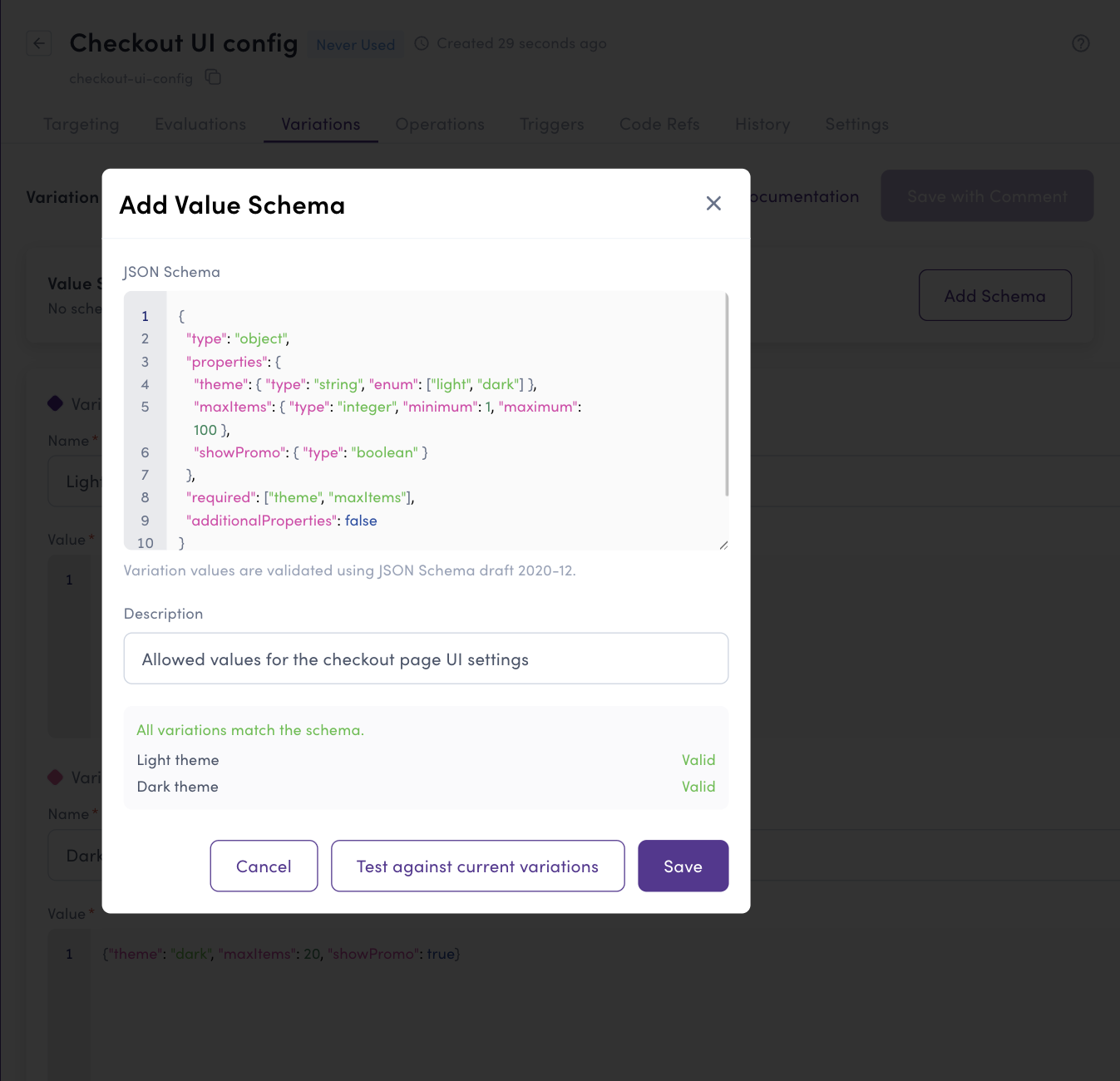
All current variation values must satisfy the schema before you can save it. If any value violates the schema, an inline error appears on that variation, and the save is blocked until you fix the value or adjust the schema.
How validation works
Once a schema is active, variation values are validated whenever a variation is created or updated:
- The dashboard validates values as you edit them and shows inline errors, so you can fix problems before saving.
- The server enforces the same validation when the flag is saved, so invalid values are also rejected when flags are updated through the HTTP API.
For example, consider a JSON flag with the following schema:
{
  "type": "object",
  "properties": {
    "theme": { "type": "string", "enum": ["light", "dark"] },
    "maxItems": { "type": "integer", "minimum": 1, "maximum": 100 },
    "showPromo": { "type": "boolean" }
  },
  "required": ["theme", "maxItems"],
  "additionalProperties": false
}
A variation value like the following is rejected:
{
  "theme": "blue",
  "maxItems": "20",
  "extraField": "x"
}
The validation errors point to each failing field: theme must be one of light or dark, maxItems must be an integer, and extraField isn't allowed.
Editing or removing a schema
Use the Edit and Remove actions on the Value Schema card to change or delete the schema. When you edit a schema, the same rule applies as when creating one: all current variation values must satisfy the updated schema before you can save. Removing the schema stops the validation; existing variation values are kept as they are.