Organization Settings
Organization Settings is the central hub for managing your Bucketeer organization. This section covers all administrative tasks including managing projects, team members, API keys, and integrations.
Accessing Organization Settings
To access Organization Settings:
- Click the gear icon at the bottom of the left sidebar
- The settings menu will slide out, showing three main sections:
- General: Organization settings and projects
- Access: Members and API keys
- Integrations: Slack notifications and FCM pushes
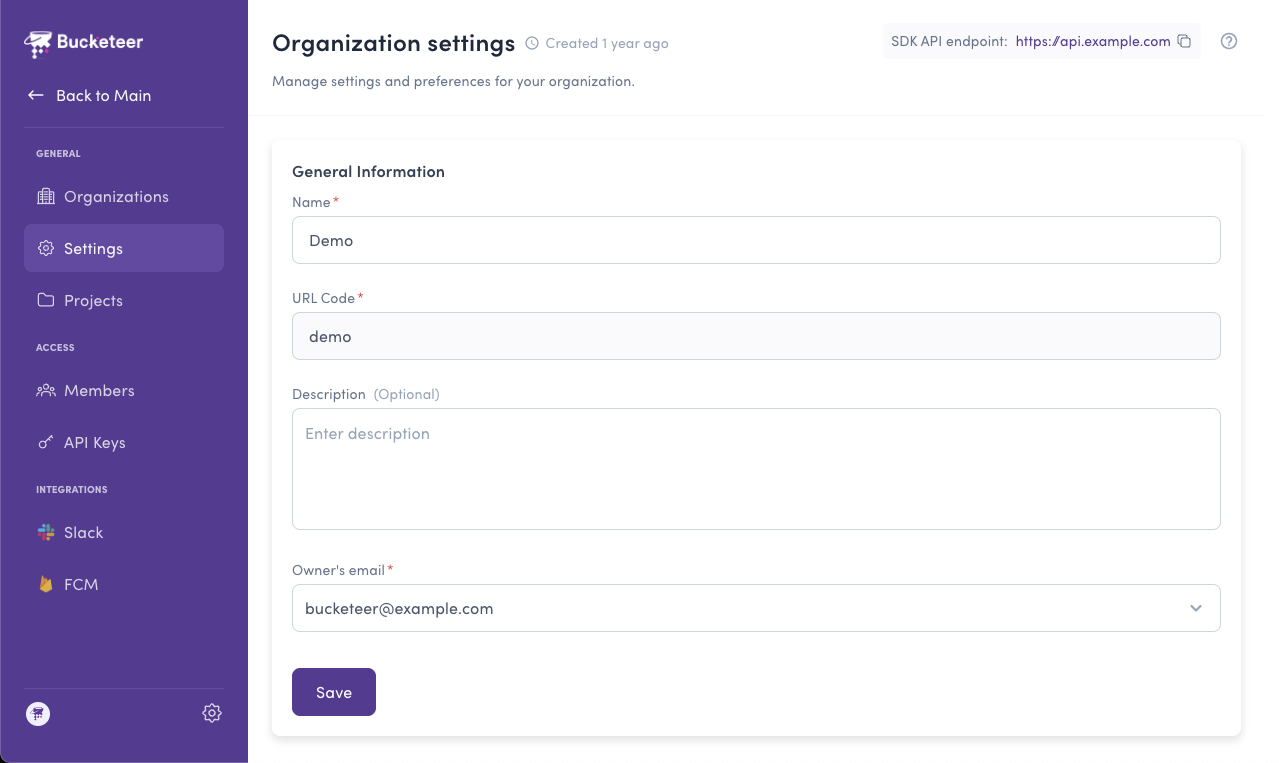
Organization Settings Overview
Organization Settings are separate from environment-level features. While feature flags, experiments, and segments are managed at the environment level, organization settings apply across all projects and environments.
What You Can Manage
- Settings - Configure organization name, URL code, description, and owner
- Projects - Create and manage projects that contain multiple environments
- Environments - Create and configure environments within projects
- Members - Invite team members and manage their roles and permissions
- API Keys - Create and manage API keys for SDK authentication
- Slack - Set up Slack notifications for important events
- FCM - Configure Firebase Cloud Messaging for real-time flag updates
Permission Requirements
Most organization settings require specific permissions:
- Organization Admin or Organization Owner: Can manage all organization settings
- Member role: Can view settings but cannot modify them
If you don't see the settings icon or certain menu options, check with your organization administrator about your role and permissions.
Settings vs. Environment Features
It's important to understand the distinction between organization settings and environment features:
| Organization Settings | Environment Features |
|---|---|
| Projects, Members, API Keys | Feature Flags, Segments |
| Notifications, Pushes | Goals, Experiments |
| Organization-wide configuration | Environment-specific features |
| Requires Admin/Owner role | Configurable per environment role |
Understanding this structure helps you navigate Bucketeer efficiently and understand where to find specific features.