Evaluations
The Evaluations tab shows real-time usage data for your feature flags. Use this to monitor which variations are being served and verify your SDK integration is working correctly.
Accessing Evaluation Data
Navigate to Feature Flags → select your flag → Evaluations tab.
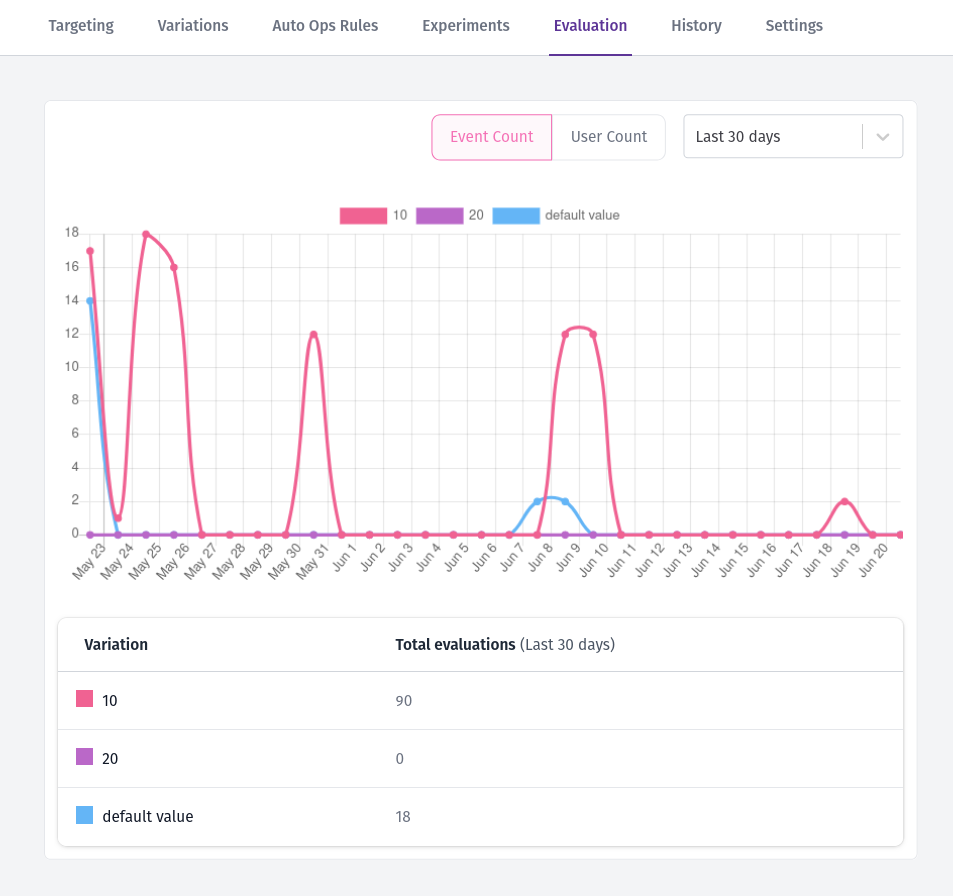
Bucketeer stores evaluation data for 30 days, allowing you to track trends and analyze variation performance over time.
Understanding the Metrics
Event Count
The total number of times the flag was evaluated. This includes every SDK call that requested a variation for this flag.
User Count
The number of unique users who received a variation. Bucketeer uses the HyperLogLog algorithm to calculate unique users efficiently.
User counts are approximate with a margin of error up to ±0.81%. This trade-off allows Bucketeer to handle high-traffic scenarios efficiently while maintaining accuracy for analysis purposes.
Data Updates
Evaluation data updates in real-time. Depending on your traffic volume:
- Typical: Updates appear within 3 minutes
- High traffic: May take up to a few hours to fully reflect
Verification
If you see data in the Evaluations tab, your SDK integration is working correctly. If no data appears after using the flag, review your SDK integration and ensure the flag is being evaluated in your application.