Slack
The Slack integration on Bucketeer is designed to keep you and your team informed about important changes and events within your dashboard. These notifications are automatically delivered to your Slack workspace whenever an event occurs.
Accessing Slack Notifications
- Click the gear icon at the bottom of the left sidebar
- Select Slack from the Integrations section
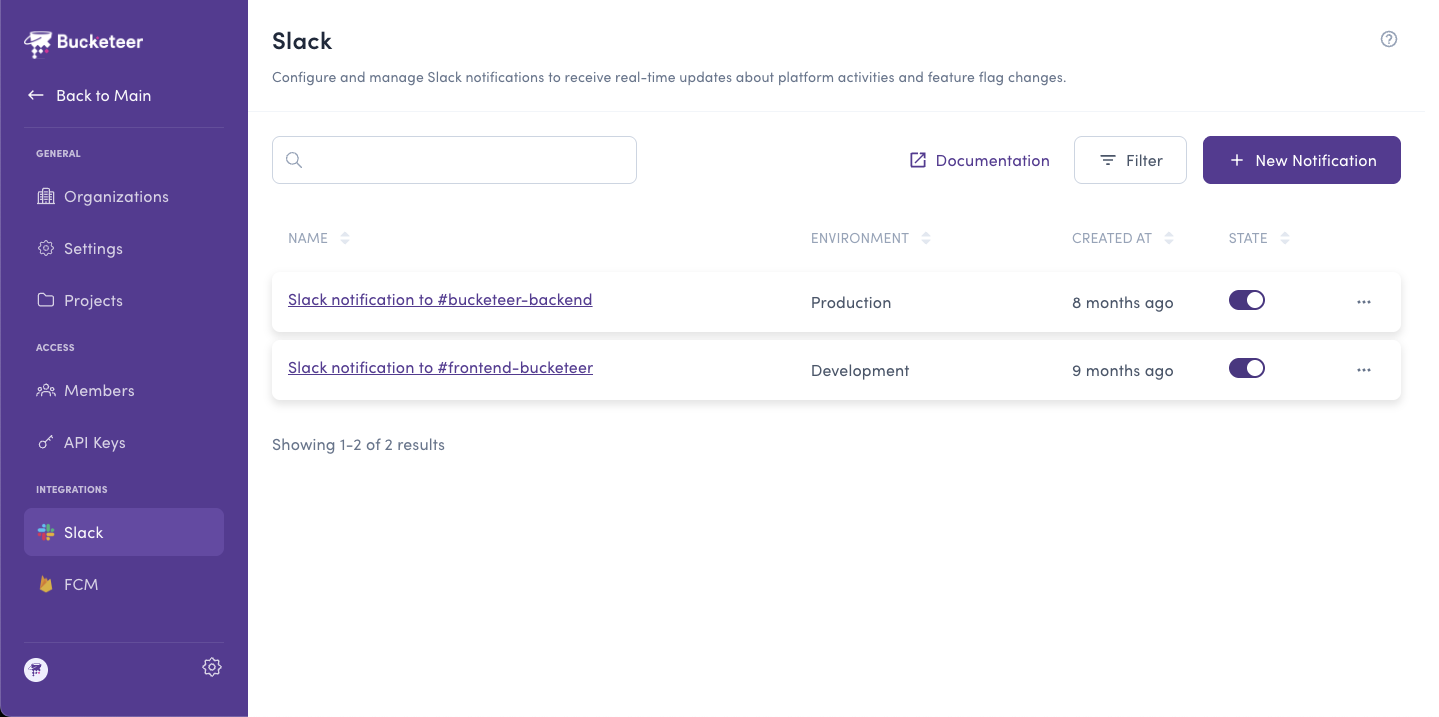
Creating a Slack Notification
To create a new notification, click the + Add button on the Slack page.
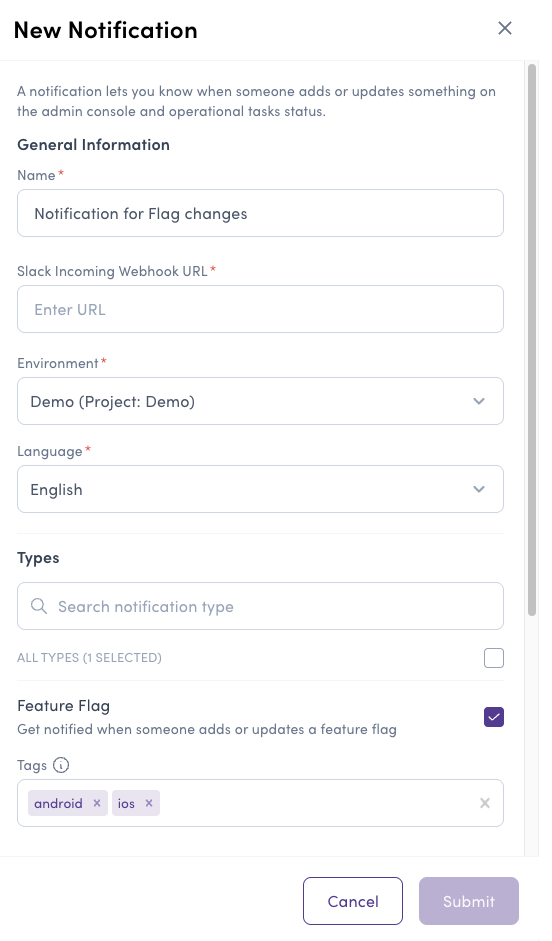
When setting up a new notification, you will need to provide the following information:
- Name - Identifies the notification and makes it easier when looking for it on the dashboard.
- Slack incoming webhook URL - Define the incoming webhook URL to which the notifications will be sent. Refer to the Sending messages using Incoming Webhooks guide for instructions on creating an app and configuring webhooks.
- Environment - Select the environment to monitor for events.
- Language - Choose the language for notification messages.
- Type - Specify the types of events that should trigger this notification. You can choose one or more event types.
- Feature Flag Tags (Optional) - If you select the "Feature Flag" event type, you can optionally filter notifications to only flags with specific tags.
Refer to the table below for a list of event types, along with descriptions and triggering conditions.
| Event type | Description | Triggering |
|---|---|---|
| Account | Get notified when a new account is added or an existing one is updated. | Event |
| API Key | Get notified when a new API Key is added or an existing one is updated. | Event |
| Auto-Ops | Get notified when the Auto-Ops system is triggered. | Event |
| Experiment | Get notified when a new experiment is added or an existing one is updated. | Event |
| Feature Flag | Get notified when a new feature flag is added or an existing one is updated. | Event |
| Goal | Get notified when a new goal is added or an existing one is updated. | Event |
| Notification | Get notified when a new notification is added or an existing one is updated. | Event |
| Push | Get notified when a new push notification is added or an existing one is updated. | Event |
| Running Experiments | Get daily notifications for the list of currently running experiments. | Daily |
| User Segment | Get notified when a new user segment is added or an existing one is updated. | Event |
| Stale feature flag | Get daily notifications regarding stale feature flag. | Daily |
Refers to flags that have remained inactive, not received any request, for seven consecutive days. These flags are typically candidates for archiving.
Once you have defined the Name, Slack webhook URL, Environment, Language, and selected the desired event types, click Submit to create the notification. You can further manage or remove notifications by accessing the Slack page under Organization Settings.